Free vs paid Shopify bundle apps: what the free plans actually cost you
 ChatGPT
 Gemini
 Perplexity
 Claude
 Grok
GrokA free Shopify bundle app is a bundle tool whose entry plan charges nothing, but usually meters something else instead: bundle revenue, bundle count, or which store types qualify. Understanding what each free plan actually gates is the difference between a smart start and a surprise upgrade email in week three.
This guide walks through the four kinds of catches, the two free plans that are genuinely usable long-term, and the arithmetic for deciding when a 9.99 to 99.50 dollar subscription pays for itself.
The four catches hiding in free bundle plans
As of July 2026, free tiers in this category use four distinct mechanisms to convert you to a paid plan. None of them are scams; all of them are worth knowing before you build your offer on one.
| App | Free plan | The catch | First paid tier |
|---|---|---|---|
| Pumper Bundles | Yes | Capped at $300/mo in bundle revenue | $9.99/mo |
| MaxBundle | Yes | Capped at $500 in bundle revenue | $9.99/mo |
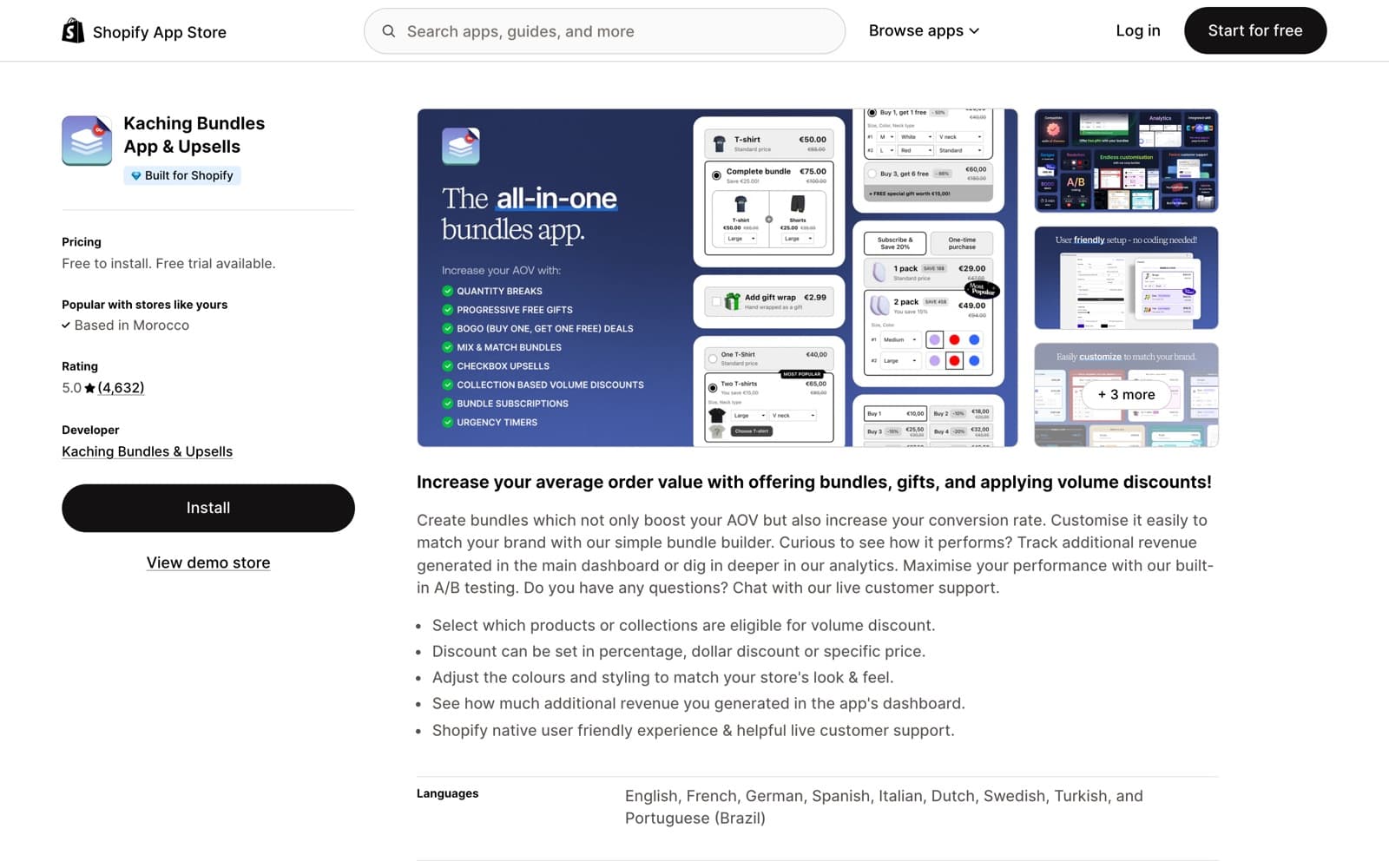
| Kaching Bundles | Dev stores only | Every live store pays from day one | $14.99/mo |
| Simple Bundles | Yes | Limited to 3 bundles | $24/mo |
| Bundler | Yes | Advertised with no limits | $9.99/mo (Premium features) |
| Shopify Bundles (official) | Free forever | Bare-bones: 2.8 stars, 577 reviews | n/a |
| Amplify | No free plan | Premium suite only | $99.50/mo |
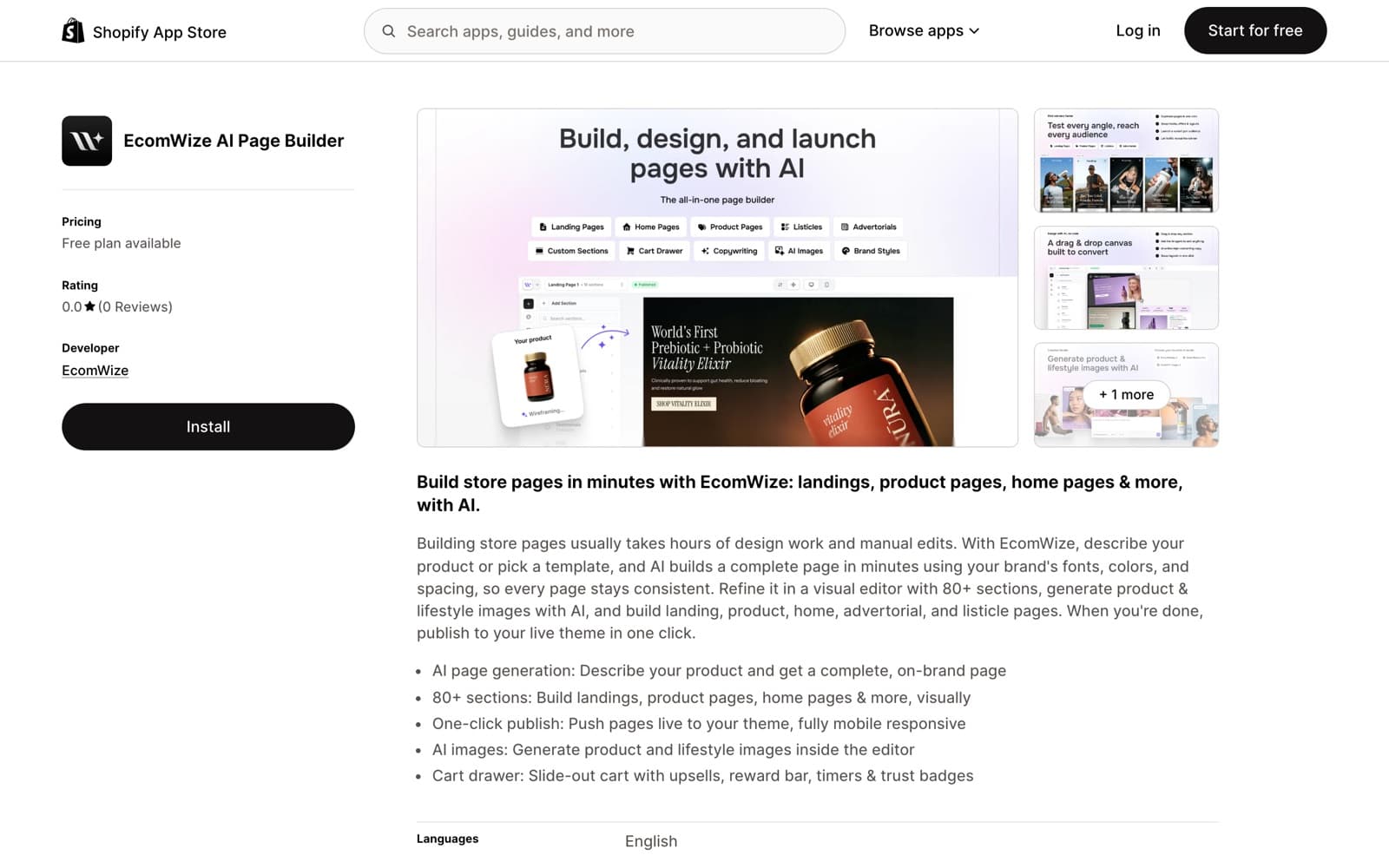
| EcomWize | Yes, 150 AI credits/mo | Credits meter AI actions, not bundle revenue | $49/mo (full page builder incl. bundles) |
Catch one is the revenue cap, the industry's favorite. Pumper's free plan stops at 300 dollars per month in bundle-generated revenue and MaxBundle's at 500 dollars total. For a store with a 40 dollar average order, that is well under a dozen bundle orders. The design is deliberate and, in fairness, aligned: you only pay once bundles demonstrably work. Just do not mistake it for a free tool; it is a free trial denominated in your own success.
Catch two is the store-type gate. Kaching Bundles, the category's 5.0-star leader, is free only on development stores. That is useful for agencies staging a build and irrelevant for a live store, which pays 14.99 dollars per month from the first day. Catch three is the feature or count gate: Simple Bundles gives you 3 free bundles, enough to validate one or two offers, not enough to roll bundles across a catalog. Catch four is the quality gate: the official Shopify Bundles app is genuinely free forever and holds 2.8 stars across 577 reviews, with merchants consistently citing missing discount controls and rigid presentation. Free, official, and rated like that is its own kind of price tag.
When a free bundle plan is genuinely fine
Free is the right call more often than app vendors would like to admit. Bundler's free plan is the standout: it is advertised with no limits and no revenue cap, holds 4.9 stars across 1,871 reviews, and covers the core bundle types. If your theme styles the widget acceptably and you do not need premium features, there is no forced upgrade moment. Simple Bundles' 3 free bundles are also honestly useful when your whole strategy is one hero kit. And the official Shopify Bundles app, despite the rating, handles a basic fixed bundle at zero cost and zero risk.
- Choose a free plan if you are validating your first bundle offer and under roughly 300 dollars per month in expected bundle revenue.
- Choose Bundler's free plan if you need uncapped bundles at zero cost and can live with a utilitarian widget.
- Choose Simple Bundles' free tier if you sell exactly one to three fixed kits.
- Choose the official Shopify Bundles app if your need is a plain fixed bundle and nothing more.
The math: what a paid bundle app has to earn
The subscription arithmetic is short. A 9.99 dollar app pays for itself if bundles add a single extra 10 dollar order of margin per month. A 14.99 dollar app needs roughly one or two upsized orders. Even Amplify at 99.50 dollars per month, the priciest in the category, breaks even on a handful of incremental bundle orders for a store with healthy margins. If your bundles convert at all, the subscription is rarely the real cost.
Run a hypothetical to see how fast the cap math turns. Suppose your store does 200 orders a month at a 40 dollar average order, and a Buy 2, Save 15 percent tier persuades just one buyer in twenty to take the larger size. That is 10 upsized orders and roughly 340 dollars of extra bundle revenue per month before discounts. On Pumper's free plan you blow through the 300 dollar cap in week three of your first successful month. The offer works, the tool stops. That is the moment the 9.99 dollar plan is not a cost but a rounding error on revenue you would otherwise switch off.
The real costs live elsewhere. First, the widget tax: a bundle block that inherits generic app styling on an otherwise branded page can depress the exact conversion it exists to lift, and that cost never appears on an invoice. Second, the stacking tax: a page builder here, a bundle app there, a cart upsell app somewhere else, and suddenly three subscriptions and three design systems are fighting on one product page. Third, the cap tax: hitting Pumper's 300 dollar cap mid-campaign means either upgrading under pressure or turning off a working offer.
The subscription is the smallest number in the bundle-app decision. The widget that clashes with your brand, and the caps that trip mid-campaign, cost more than the 9.99 ever will.
Where EcomWize fits in the free versus paid question
EcomWize sits outside the widget category. It is an AI Shopify page builder with bundles built in: Buy More and Save tiers, a cart drawer with a rewards bar, and one-tap upsells ship inside the same subscription as the page builder itself. The bundle is not a separate line item, a separate widget, or a separate design system; it is part of the page, published as native Shopify Liquid, styled by the same brand system as everything around it.
The economics differ accordingly. There are no revenue caps and no revenue-based fees at any tier. The free plan meters AI actions with 150 monthly credits, not your bundle sales, and manual editing is always free. Paid plans start at 49 dollars per month on Starter, which is more than a standalone widget and less than a page builder plus a bundle app plus an upsell app bought separately. The honest framing: if you only need a widget in an existing theme, a dedicated app is cheaper. If you are building landing pages anyway, the bundle capability is effectively already paid for.
Free or paid: the short decision list
- Stay free with Bundler if you need uncapped basic bundles at zero cost.
- Stay free with Shopify Bundles if a plain fixed bundle covers your entire need.
- Go paid at 9.99 to 14.99 dollars (Pumper, MaxBundle, Koala, Kaching) the moment a revenue cap interrupts a working offer; the upgrade math is trivially in your favor.
- Go paid at 24 dollars with Simple Bundles when kit complexity or Shopify's 2,048-variant limit becomes the blocker.
- Consider Amplify at 99.50 dollars only when bundle revenue is already a significant, measured line item.
- Consider EcomWize at 49 dollars when you want the bundle, the landing page, and the cart upsell as one designed system instead of stacked apps.
The pattern to remember: in this category, free plans are priced in something other than dollars, usually your bundle revenue or your feature ceiling. Start free where the cap is honest, upgrade the day the cap costs you an order, and count the widget's design fit as part of the price.
Frequently asked questions
Are free Shopify bundle apps worth it?
Often, yes, for validation. Bundler's free plan is uncapped and covers core bundle types, and Simple Bundles offers 3 free bundles. But most free tiers carry catches: Pumper caps free bundle revenue at 300 dollars per month, MaxBundle at 500 dollars, and Kaching is free only on development stores.
What is the catch with free bundle app plans?
Four patterns as of July 2026: revenue caps (Pumper at 300 dollars per month, MaxBundle at 500), store-type gates (Kaching is free on dev stores only), feature or count limits (Simple Bundles allows 3 free bundles), and quality ceilings (the free official Shopify Bundles app is rated 2.8 stars).
Is the official Shopify Bundles app good enough?
For a basic fixed bundle, yes, and it is free forever. But its 2.8-star rating across 577 reviews reflects real gaps: limited discount controls, rigid presentation, and no quantity-break mechanics. Most stores that take bundles seriously outgrow it quickly.
When should I pay for a bundle app?
The moment a free-plan cap interrupts a working offer. A 9.99 dollar subscription pays for itself with roughly one extra bundle order per month, so once bundles convert, staying on a capped free plan costs more than upgrading.
Which Shopify bundle app has the best free plan?
Bundler, as of July 2026. Its free plan is advertised with no limits and no revenue cap, and the app holds 4.9 stars across 1,871 reviews. Simple Bundles is the runner-up with 3 genuinely free bundles. Most other free tiers cap revenue or restrict store types.
Does EcomWize charge extra for bundles?
No. Buy More and Save bundle tiers, the cart drawer with rewards bar, and one-tap upsells are included in the page builder subscription on paid plans, starting at 49 dollars per month. There are no revenue caps or revenue-based fees; the free plan meters AI credits, not bundle sales.